GB/GBC
Super Mario Land
Platformer1989
Game Boy / Game Boy Color
Game Boy / Game Boy Color
Jupiter
1995
Puzzle
1 player
Press Start Game in the player above to load the game. You can play with a keyboard, a compatible gamepad, or mobile touch controls.
Controls
Arrow Keys (D-Pad), Z (A), X (B), Enter (Start), Shift (Select). Ideal for keyboard play and responsive mobile touch buttons.
Gamepad: connect a controller and check the button settings in the player.
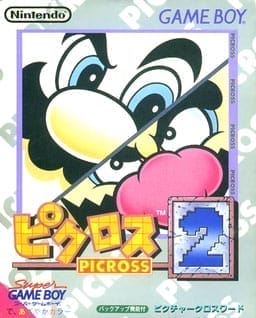
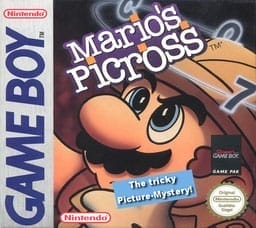
Mario's Picross is a puzzle video game featuring nonogram puzzles. Players use logic to reveal hidden pictures by filling in squares on a grid based on number clues. Mario appears as the guide character.
Game Boy and Game Boy Color titles offer crisp portable pacing, forgiving frame demands on mobile devices, and quick battery or state saves between stages.
Play Mario's Picross in your browser. Check the controls below before you start.
Released in 1995 for Game Boy / Game Boy Color. Developer: Jupiter. Genre: Puzzle.
Press Start Game to load Mario's Picross. If it runs slowly, try another browser or device.
Yes. Mario's Picross loads directly in your browser on this page through EmulatorJS for Game Boy / Game Boy Color. Just press Start Game in the player above—no downloads or registration needed.
You can keep your progress using Mario's Picross’s built-in save feature (when supported by the original release) or by clicking Save State and Load State in the player toolbar.
Yes. You can play Mario's Picross using a desktop keyboard, connect a compatible USB or Bluetooth controller, or use the on-screen buttons on phones and tablets. All key mappings can be adjusted in the player settings.
Mario's Picross (Game Boy / Game Boy Color) supports up to 1 player. Any up-to-date Chrome, Edge, Firefox, or Safari browser works; enabling hardware acceleration helps 3D consoles run more smoothly.