NDS
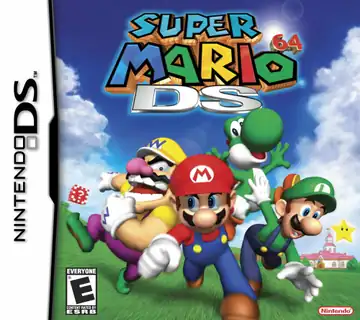
Super Mario 64 DS
Platformer2004
Nintendo DS
Nintendo DS
Nintendo
2005
Kart racing
8 players
Press Start Game in the player above to load the game. You can play with a keyboard, a compatible gamepad, or mobile touch controls.
Controls
Arrow Keys (D-Pad), Face buttons (A/B/X/Y), L/R shoulders, plus mouse click or finger tap on the bottom screen for Nintendo DS touch controls.
Gamepad: connect a controller and check the button settings in the player.
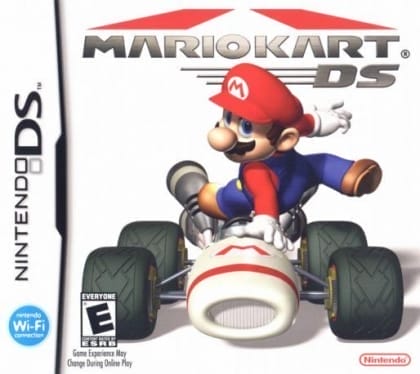
Drift and snake-boost across 32 tracks combining 16 brand-new courses and 16 retro classics from SNES, N64, GBA, and GameCube. Tackle dedicated Mission Mode challenges and boss encounters alongside Grand Prix cups, while the lower Nintendo DS touchscreen keeps a live course map and item radar in view.
Nintendo DS splits gameplay across two screens. You can click or tap the lower touchscreen directly inside the player and switch single/dual screen layouts in settings.
Play Mario Kart DS in your browser. Check the controls below before you start.
Released in 2005 for Nintendo DS. Developer: Nintendo. Genre: Kart racing.
Press Start Game to load Mario Kart DS. If it runs slowly, try another browser or device.
Yes. Mario Kart DS loads directly in your browser on this page through EmulatorJS for Nintendo DS. Just press Start Game in the player above—no downloads or registration needed.
You can keep your progress using Mario Kart DS’s built-in save feature (when supported by the original release) or by clicking Save State and Load State in the player toolbar.
Yes. You can play Mario Kart DS using a desktop keyboard, connect a compatible USB or Bluetooth controller, or use the on-screen buttons on phones and tablets. All key mappings can be adjusted in the player settings.
Mario Kart DS (Nintendo DS) supports up to 8 players. Any up-to-date Chrome, Edge, Firefox, or Safari browser works; enabling hardware acceleration helps 3D consoles run more smoothly.